Tame the Wild West of Self-Service Analytics: How To Seamlessly Implement Dynamic Row-Level Security for Power BI in Fabric
Self-service analytics is most successful when governed semantic models allow business users to build reports with all the data they need while still securing confidential and sensitive data per their role. Dynamic row-level security (RLS) implemented with Active Directory security groups provides that balance by enforcing row filters at the model layer, so every downstream report inherits the same access rules.
Why AD security groups for dynamic RLS?
AD security groups centralize membership management, remove the need to maintain user-to-role lists in the model, and make onboarding and offboarding a simple group membership change. Many times, these security groups will already exist for other purposes and can be easily leveraged in Power BI. This approach simplifies administration and reduces the risk of stale or overly broad permissions while keeping security logic in a single place.
Dynamic Row Level Security: Implementation Steps
Row level security can be based on one or more dimensions and can be applied to the full semantic model or a specific measure(s) only. First, we’ll dive into applying RLS to the full model.
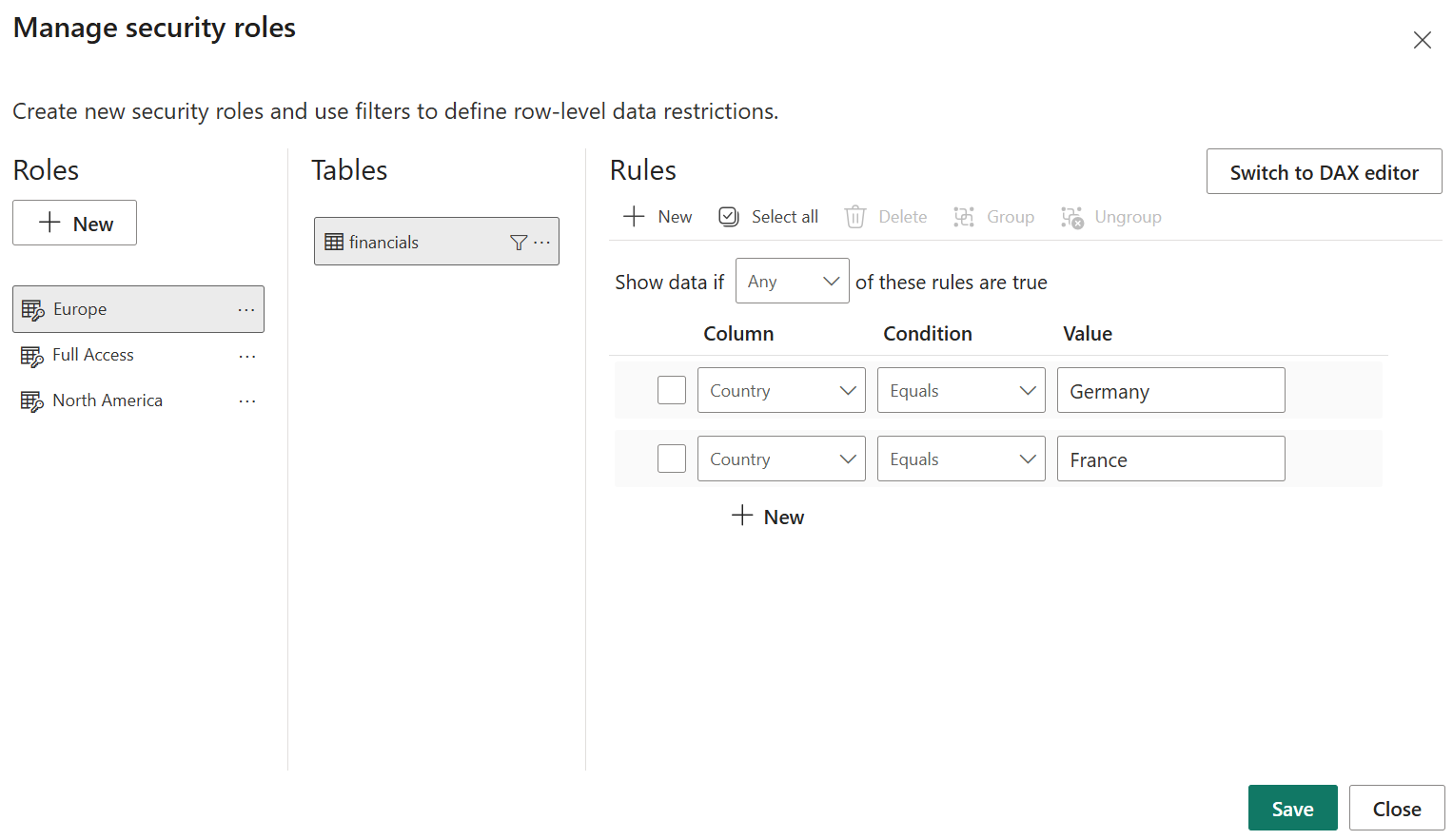
Design PBI roles and AD groups. Determine which key field(s) should be used to restrict the data and the associated AD groups that will map to each role. Typically, this will include an admin role that is given full access. In this example, we’ll restrict the data based on the field Country.
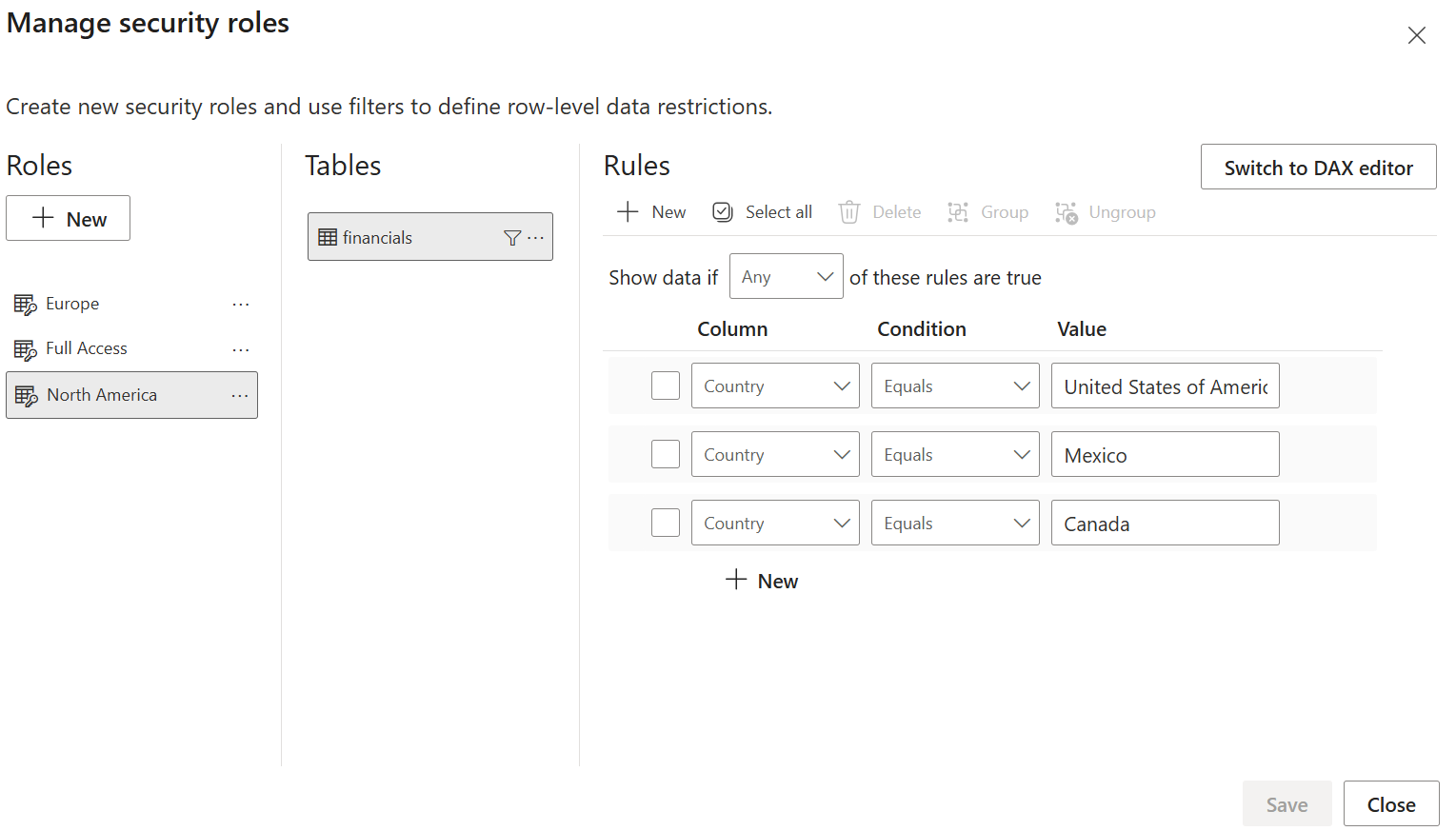
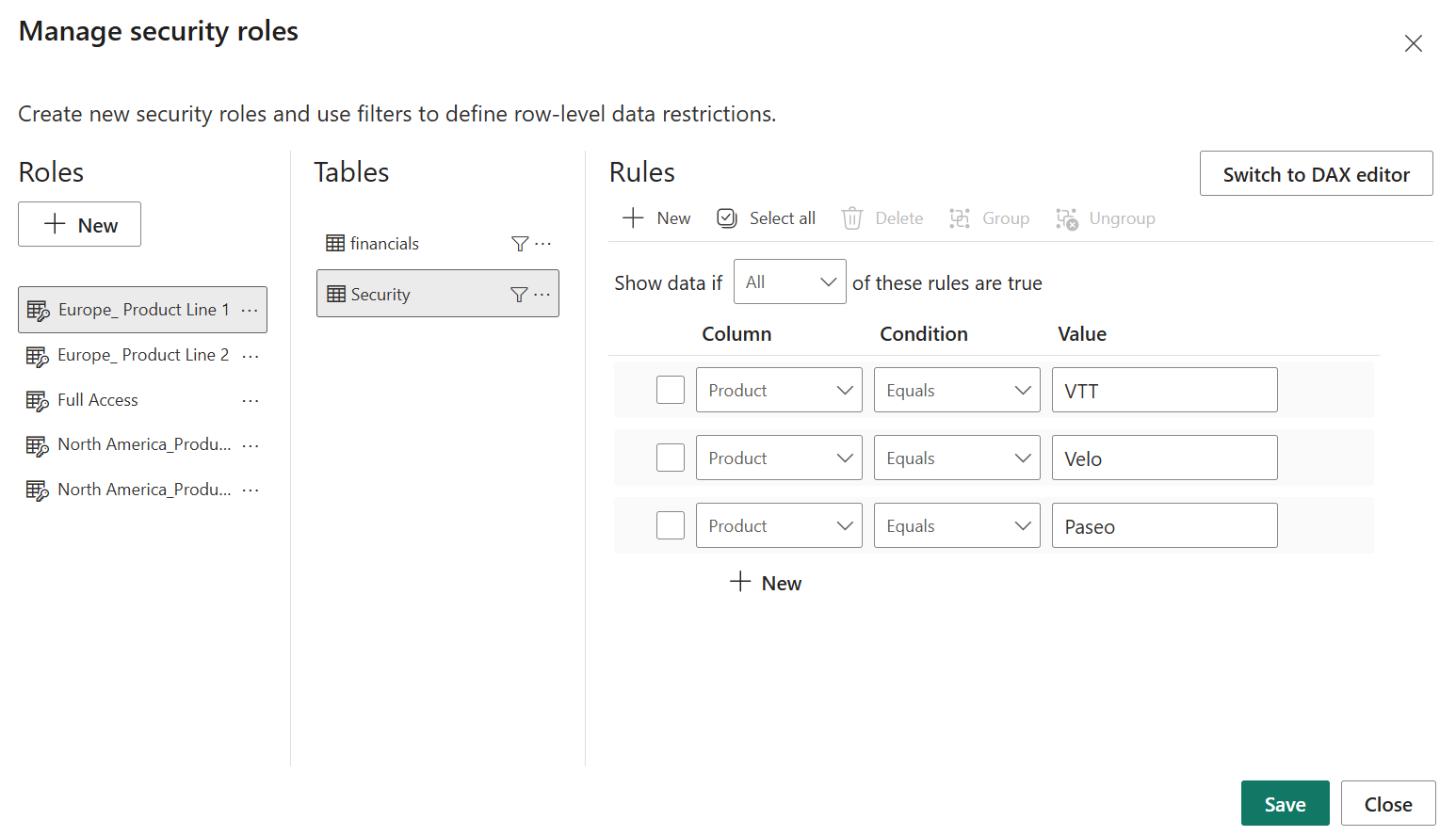
Create rules for each PBI role. To give a role full access, set each table to equal TRUE() using the DAX Editor. Rules for additional roles can be set using either the Default Editor or DAX Editor depending on complexity. In this example, we’ll use the Default Editor to restrict the Europe role to the Country Germany or France and the North America role to the Country United States of America, Mexico, or Canada.
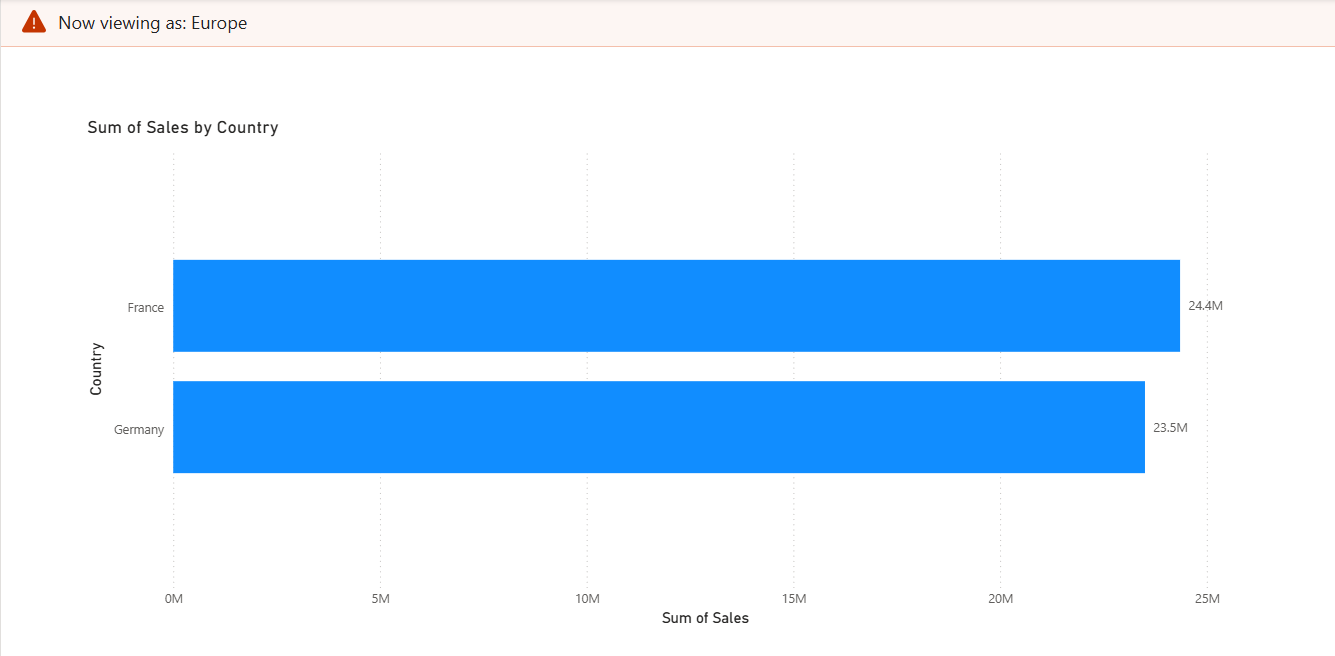
Validate roles locally in Power BI Desktop. Use the Desktop’s “View as role” and test each role to confirm filters behave as expected before publishing.
Publish the semantic model to Fabric workspace. Once the semantic model is published to a Fabric workspace, AD groups can be appropriately assigned to the correct roles as created on Power BI Desktop.
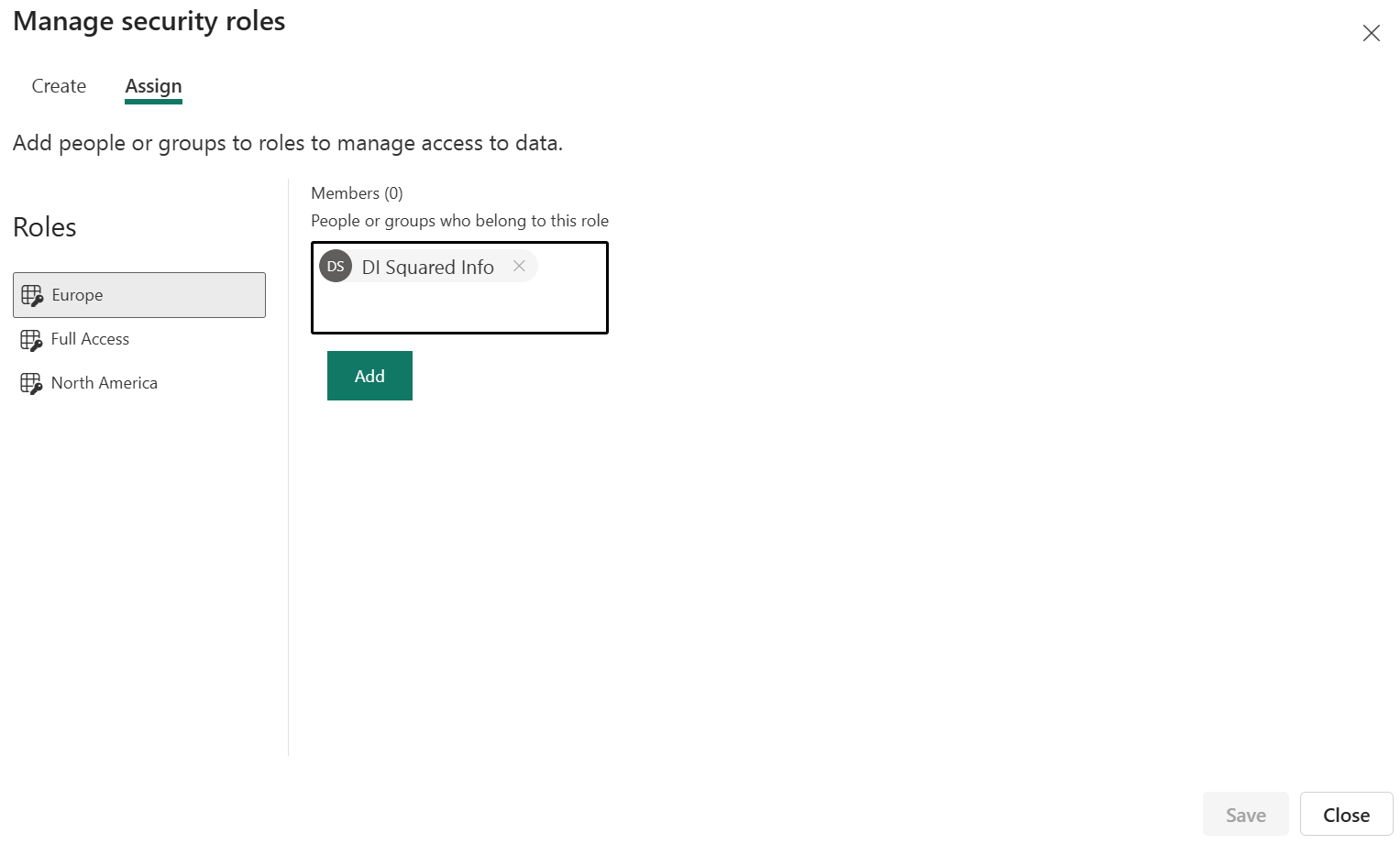
Assign AD groups to roles. Within the model’s security roles, assign the AD security groups as role members instead of specific users. AD group names can be entered the same way as an individual's email address. This makes the model maintenance-free from a user perspective since group membership is controlled within the AD group.
Save and finalize. The dataset/semantic model is now saved in a Fabric workspace where business users will build reports. The model-level RLS remains in effect for all reports that use the published semantic model.
Measure Specific Row Level Security: Implementation Steps
Typically, security is set for all measures based on one or two key dimensions. For example, restricting Sales Representatives to only access sales data for their region. However, in some cases, it may not be appropriate to allow the Sales Representative to access every metric, even within their region. This is when measure specific RLS can be leveraged. In the example below, we’ll walk through how to restrict the more sensitive field of Profit by Product in addition to the overarching Region based RLS.
Create a mapping table. Create a custom data table with a column for the semantic model roles and a column for the filtering dimension, in this case, Product.
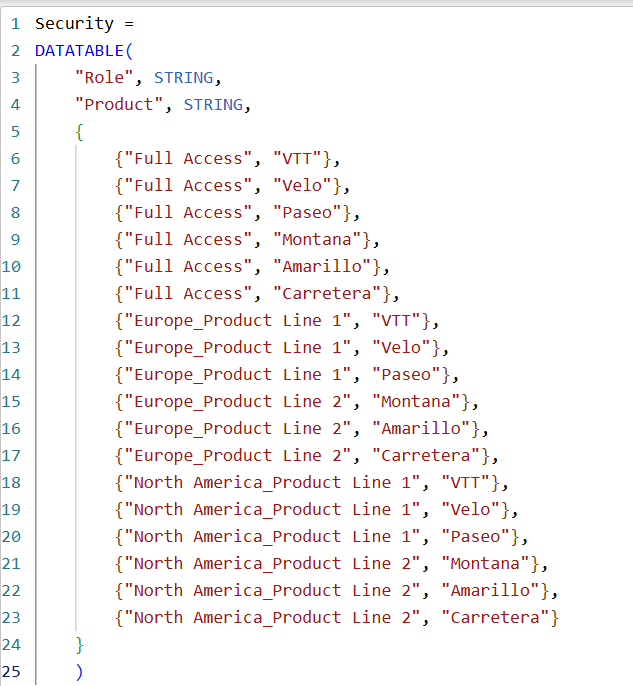
Assign security rules. Add the correct mapping to the newly created security table for the Products that should be visible for that role.
Create a DAX measure. Add a new DAX measure for the field(s) that need additional security. This script filters the measure based on the Security table roles and therefore will only show a result (Profit) for any dimensions (Products) the user has access to according to the role assignments.
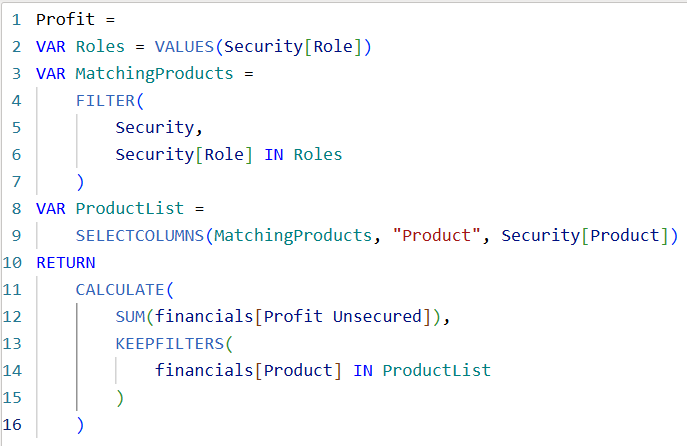
Hide unsecure measures. Hide any additional fields or measures used in creating the now secure measure. This will maintain the security of the measure for all report Viewers.

Consistency in Fabric and Power BI Desktop
RLS defined in Power BI Desktop becomes part of the semantic model and travels with that model into Fabric. Fabric enforces those model-level row filters for Viewer roles in the service, ensuring the same access behavior whether users consume a report in Fabric or open the model locally in Power BI Desktop. RLS does not restrict users who have Admin, Member, or Contributor workspace roles, so model owners and authors retain full authoring capabilities while consumers are constrained by model security.
What are the benefits of enabling secure self-service with semantic models?
- One secure source of truth. Publish a governed semantic model with built-in AD security group based RLS and present it as the certified dataset for self-service reporting and analytics.
- Empower authors while protecting data. Give authors the ability to create report visuals and pages while relying on the model to enforce access to rows and sensitive columns.
- Promote reuse and discoverability. Catalog the secured semantic model in Fabric, so analysts can easily find it and avoid re-importing or copying data into ungoverned reports and dashboards.
- Audit and monitor access. Combine Fabric workspace auditing and AD group membership reviews to ensure that group-based access aligns with policy and role changes.
Best practices and operational tips
- Treat AD group design as a governance task. Create group names that are easy to interpret and well defined and documented to reduce accidental overexposure.
- Use minimal membership groups for high-sensitivity data. Combine role-based groups for common cases with narrowly scoped groups for access based on exception.
- Document roles and mappings in the model. Add model metadata and documentation in the workspace, so future report owners understand the security logic.
- Periodically test and review. Schedule role validation and group membership audits to catch changes between business needs and group assignments.
- Keep sensitive columns masked at the model level. Apply column-level protection and clear descriptions to prevent accidental exposure in visuals.
The combination of AD security groups, dynamic semantic model-level filters, and governed semantic models in Fabric removes the “wild west” from self-service analytics by giving report builders full freedom to create while ensuring they only see the rows and fields they are authorized to access.
How DI Squared Helps
DI Squared has helped countless customers to govern and secure self-service analytics across technologies. Sign up for your free 1:1 with one of our specialists today to get started.
.jpg)